

Understanding Domain and Subdomains: Your Simple Guide
Have you ever typed a web address and wondered what all those words and dots actually mean? Maybe you’ve noticed that some websites use “blog.something.com” while others use “something.com/blog” and thought, “Is there a difference?” You’re not alone—thousands of people search for answers about domains and subdomains every single day.
Here’s the thing: understanding domains and subdomains isn’t just for tech geeks or web developers. Whether you’re starting a blog, launching an online store, or just curious about how the internet works, knowing these basics can save you time, money, and a whole lot of confusion down the road.
In this guide, we’re ditching the technical jargon and breaking everything down into plain English. You’ll discover what domains and subdomains actually are, why major companies like Google and Amazon use them strategically, and how you can use them effectively for your own projects. Plus, we’ve included answers to the 8 most common questions people ask about this topic.
By the time you finish reading, you’ll be able to make smart decisions about organizing your website, understand what your hosting provider is talking about, and even impress your friends with your newfound internet knowledge. Let’s dive in!
What is a Domain?
Think of a domain as your website’s street address on the internet. Just like your home has an address so people can find you, websites need addresses too. When you type “facebook.com” or “netflix.com” into your browser, that’s a domain name you’re using.
Here’s the cool part: computers actually use numbers (called IP addresses) to find websites. But let’s be honest, nobody wants to remember something like 142.250.185.46 just to visit Google. That’s where domain names come in—they’re the human-friendly version that’s easy to remember and type.
A domain has two main parts. Take “example.com” for instance. The word “example” is the part you get to choose and make unique to you. The “.com” part is what we call the domain extension or TLD (Top-Level Domain). You’ve probably seen lots of these: .org, .net, .edu, or even fun ones like .pizza or .photography!
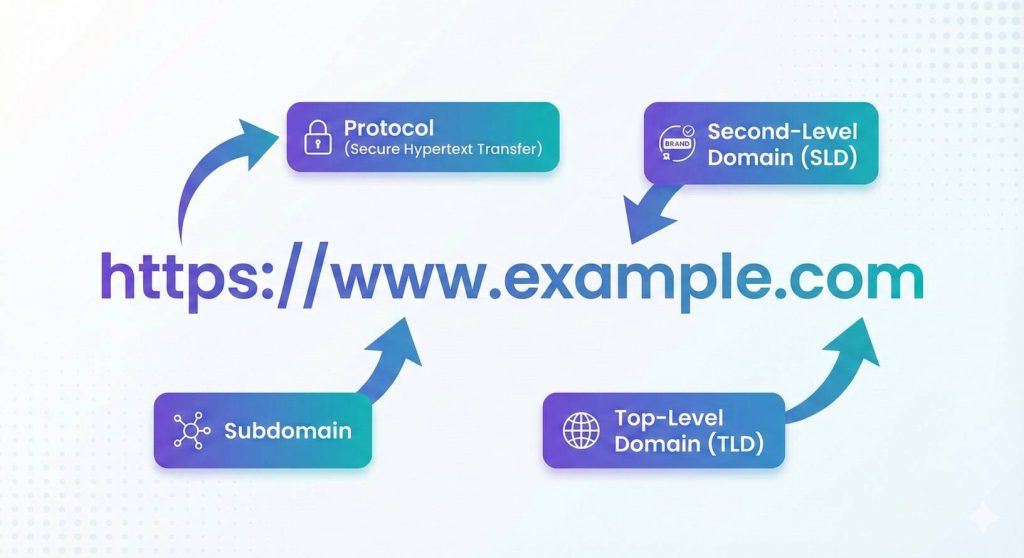
So What’s a Subdomain Then?
A subdomain is like adding rooms to your main house. It’s a way to create separate sections of your website that serve different purposes, but they’re all still part of your main domain.
Let’s make this super clear with an example. Say you own “mystore.com”—that’s your main domain. Now you want to add a blog to share tips with customers. Instead of creating a completely new website, you create “blog.mystore.com”—that’s a subdomain! The word “blog” comes before your main domain, separated by a dot.
Here’s where it gets interesting. Big companies use subdomains all the time. Google has mail.google.com for Gmail, drive.google.com for Google Drive, and maps.google.com for Google Maps. Each one feels like its own website, but they’re all connected under the Google brand. Pretty smart, right?
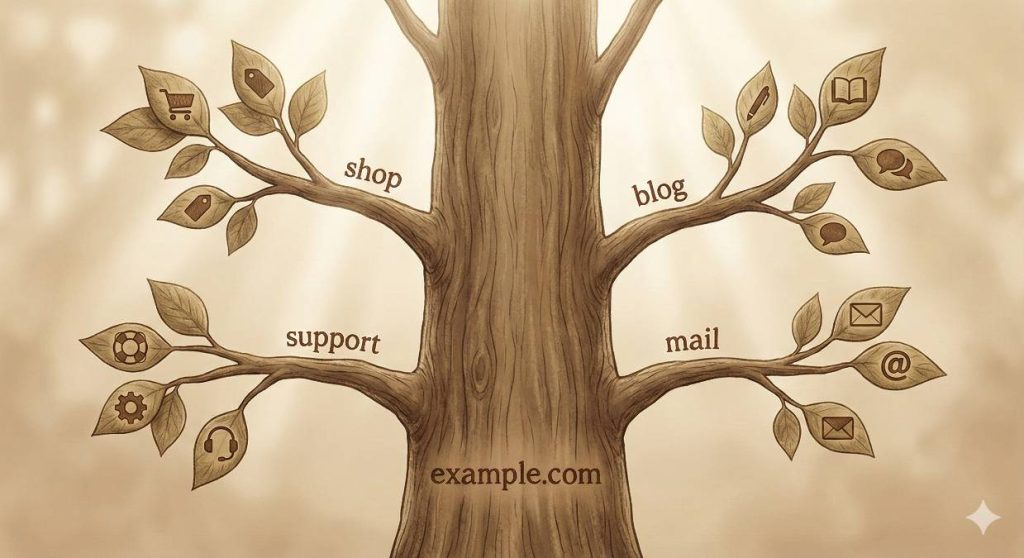
Why Would You Want to Use Subdomains?
Great question! There are some really practical reasons why people use subdomains, and they’re not just for big tech companies.
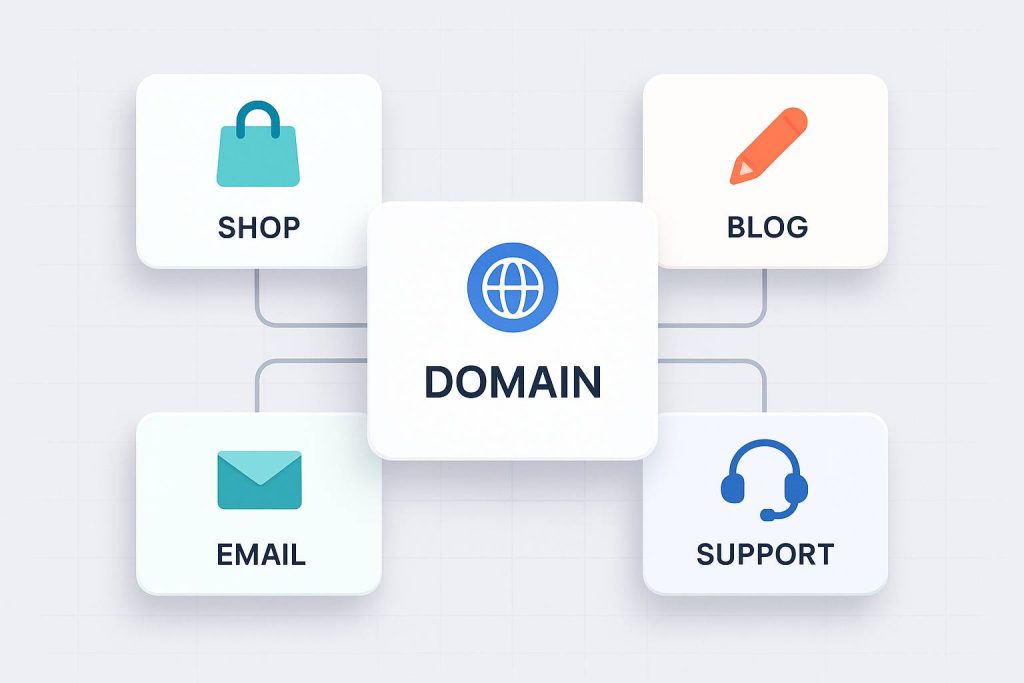
Let’s say you’re running an online business. You might use your main website (www.yourbusiness.com) for your homepage and general information. Then you could set up shop.yourbusiness.com for your online store, blog.yourbusiness.com for articles and tips, and support.yourbusiness.com for customer help. Each section has its own space, making it super easy for visitors to find exactly what they need.
From a technical side, subdomains are flexible. They can live on different servers, be managed by different people, and even look completely different from each other. Many businesses use subdomains like staging.example.com to test new website features before showing them to the public. It’s like having a practice room before the big performance!

Subdomain or Subfolder: What’s the Difference?
This confuses a lot of people, so let’s break it down in the simplest way possible.
A subdomain looks like this: blog.example.com (the extra word comes BEFORE your domain)
A subfolder (or subdirectory) looks like this: example.com/blog (the extra word comes AFTER your domain, with a slash)
Both organize your content, but they work differently behind the scenes. Think of it this way: a subfolder is like adding a new room inside your house, while a subdomain is like building a separate cottage on your property. They’re both yours, but they’re structured differently.
If you’re wondering which one to use, here’s a simple rule of thumb: if you want everything to count toward building your main website’s reputation with Google, use subfolders. If you’re creating something that’s really different and separate (like a completely different product or service), a subdomain might be the better choice.
For more detailed technical information about how domain systems work, you can check out resources from ICANN, the organization that manages internet domain names worldwide.
Real-Life Examples You’ll Recognize
Let’s look at how actual websites use domains and subdomains—you’ve probably visited these without even thinking about it!
Universities are a perfect example. A school might use “university.edu” as their main website. Then they create admissions.university.edu for people applying to the school, library.university.edu for the library system, and housing.university.edu for dorm information. Each section serves a specific group of people with specific needs.
Online stores do this brilliantly too. A fashion brand might have www.fashionbrand.com as their main site where they tell their story and showcase their values. Then shop.fashionbrand.com is where you actually buy clothes, blog.fashionbrand.com has style tips and fashion advice, and careers.fashionbrand.com is for job seekers. Everyone finds what they need quickly and easily.
How to Create Your Own Subdomain
Don’t worry—setting up a subdomain isn’t as technical as it sounds. Most website hosting companies make it pretty straightforward these days.
Here’s the basic process: You’ll log into your hosting account (or wherever you manage your domain), find the DNS settings or subdomain section, and create a new subdomain. You’ll give it a name (like “blog” or “shop”), point it to where you want it to go, and save your settings. That’s really it!
The technical term is that you’re creating a DNS record, but modern hosting platforms have made this so user-friendly that you usually just fill in a couple of boxes and click a button. The changes might take a few minutes to a couple of hours to work everywhere on the internet, but usually it’s pretty quick.
Once your subdomain is set up, it works just like any other website. You can design it however you want, add your own content, and even secure it with its own security certificate to keep your visitors safe.
For developers who want to dive deeper into how web addresses work technically, Mozilla’s documentation provides comprehensive information.
Important Things to Remember
When you’re working with domains and subdomains, there are a few key things that’ll make your life easier.
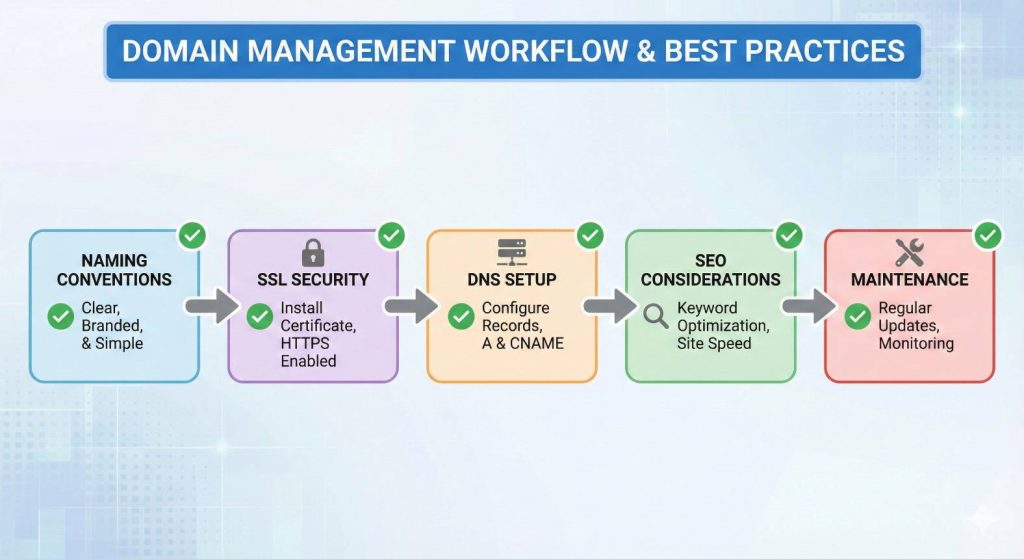
First, keep your subdomain names simple and obvious. If someone sees “support.yoursite.com,” they should immediately know that’s where to get help. Don’t get too creative with naming—clarity beats cleverness every time.
Security matters for every subdomain. Just because it’s a subdomain doesn’t mean you can skip the security basics. Make sure each subdomain has proper security certificates (that little padlock icon in the browser), and treat it with the same care as your main website.
Also, think ahead before you commit to a structure. Moving content from subdomains to folders (or vice versa) later can be a headache and might affect how Google ranks your site. It’s not impossible, but it’s much easier to plan it right from the start. Ask yourself: “How might this grow in the future?” and make your decisions based on that.
Frequently Asked Questions
How many subdomains can I create?
Technically, you can create hundreds or even thousands of subdomains under a single domain. However, from a practical standpoint, most website owners use between 2-10 subdomains. Too many can confuse visitors and make your site harder to manage. Quality over quantity is the way to go!
Do subdomains cost extra money?
Great news—most hosting plans let you create subdomains for free! You’ve already paid for your main domain, and subdomains are usually included. However, if you want each subdomain to have its own dedicated hosting or special features, that might cost extra. Check with your hosting provider to be sure.
Can subdomains help or hurt my SEO?
This is a hot topic! Search engines like Google can treat subdomains as separate entities from your main domain, which means they start with a fresh slate for building authority. This can be good if you want that subdomain to rank independently, but it might not benefit from your main domain’s established reputation.
For most small businesses and blogs, using subdirectories (example.com/blog) instead of subdomains is better for SEO because everything contributes to one strong domain authority.
Can I move a subdomain to a different domain later?
Yes, you can! However, it requires some technical setup and careful planning. You’ll need to update DNS records, set up proper redirects, and make sure you don’t lose traffic or search engine rankings in the process. It’s definitely doable, but it’s best done with some technical help or by following detailed guides from your hosting provider.
What’s the difference between www and other subdomains?
Good eye! The “www” in www.example.com is actually a subdomain too—it’s just so common that we barely notice it anymore. These days, many websites work with or without the “www” part. It’s basically a legacy from the early internet days. When you create custom subdomains like “blog” or “shop,” you’re doing the same thing, just with different names that describe different purposes.
Can I have a subdomain of a subdomain?
Technically yes! You could create something like news.blog.example.com (a subdomain “news” under the subdomain “blog”). However, this gets confusing really fast and most people avoid it. It’s usually better to keep your structure simple with just one level of subdomains. Remember, your visitors need to understand and remember these addresses too!
Do I need separate hosting for each subdomain?
Not necessarily! By default, subdomains can share the same hosting as your main domain, which is the most cost-effective option. However, you can point different subdomains to different hosting providers if you have specific needs—like if your online store needs more powerful hosting than your simple blog. It’s flexible, which is one of the great things about subdomains.
Is it better to use subdomains or separate domains entirely?
It depends on what you’re building. Use subdomains when you want to keep everything under one brand umbrella—like blog.yourbrand.com still clearly shows it’s part of your brand. Use separate domains when you’re launching something completely different—like if you own a restaurant chain called “Joe’s Pizza” but want to launch a separate food truck called “Taco Tornado,” you’d probably want a completely separate domain for that new brand identity.
Understanding domains and subdomains gives you real power in building and organizing your online presence. Whether you’re starting a personal blog, launching a business website, or managing multiple projects, knowing how to use these tools effectively will save you time and help your visitors find exactly what they’re looking for.
It might seem a bit technical at first, but really, it’s just about organizing the internet in a way that makes sense for everyone. Now you’ve got the knowledge to make smart decisions about your own web presence